Your social media
content calendar.
Answer six quick questions and get a four-week calendar for your business: what to post each day, where, and how to film it in one go.
Build your calendar or read how to run one below.
Build your content calendar.
6 questions2 minutesFree
Ideas come from what works on the accounts we run. Adjust anything to fit your week. Read the full guide below.
In this guide
What a content calendar is (and isn’t)
A content calendar is a plan for what you’ll post, where and when, decided before the week starts. It turns “what should we post today?” into a list you work through.
It isn’t a spreadsheet you fill once and forget. The useful ones are short: a date, a platform, a format, the kind of post, the idea in one line, and whether it’s done. Anything more and nobody keeps it up.
Example · one week of a content calendar
| Day | Platform | Format | Pillar | The idea | Status |
|---|---|---|---|---|---|
| Tue | Instagram+ Facebook | Reel | Proof | Before and after of Saturday’s kitchen job, result first | Posted |
| Thu | Carousel | Teach | 5 things to check before you hire a contractor | Scheduled | |
| Fri | Google Business | Update + photo | Offer | Free estimates this month, with a Call button | Scheduled |
| Sat | TikTok+ YouTube Shorts | Short video | Behind the scenes | Time-lapse of the crew setting up | To film |
Six columns are enough. If a post doesn’t have all six, it isn’t planned yet.
Pick two platforms, not six
Every platform you add is another set of formats, another inbox and another thing to keep up with. Start where your customers already spend time, and post there every week.
For most local businesses that’s Instagram, with posts shared to Facebook, plus a weekly update on Google Business Profile so you show up on Maps. Add TikTok or YouTube Shorts when you’re filming anyway. B2B and professional services should add LinkedIn, posted by the owner rather than the company page.
Where to post, by what you sell
| Platform | Best for | What works | Start with |
|---|---|---|---|
 Instagram | Almost every local business and brand | Reels, carousels, stories | 3 to 4 a week |
 Facebook | Local customers over 35, community groups, events | Reels, photos, event posts | Reshare your Instagram |
 TikTok | Reach beyond your followers; food, fitness, creators | Short, unpolished video with a strong first second | 3 a week if you film |
 YouTube Shorts | Search-friendly how-tos that keep getting found | Answers to real questions | Reuse your TikToks |
| inLinkedIn | B2B, professional services, the founder’s voice | Text posts with a photo, document carousels | 2 a week |
| GGoogle Business | Anyone customers find on Google Maps | A photo and one line, with a Call or Book button | 1 a week |
Two platforms done every week beat six done when you remember. Most local businesses: Instagram plus Facebook, and a weekly Google Business update.
Five kinds of post, in the right mix
Random posts get random results. Group your ideas into a few content pillars, so every week has proof you do good work, something useful, a look behind the scenes, the people, and a reason to buy.
The mix depends on what you want from social. If you want calls, lean on proof and teaching. If you sell online, offers earn a bigger share. If you want reach, teach and show more and sell less. The builder above sets the mix from your answer to “what should your posts do for you?”.
How the mix shifts with your goal · share of posts
How often to post
Post as often as you can keep up for three months without the quality dropping. For most businesses that’s three to five times a week.
The number matters less than the rhythm. People and platforms both reward accounts that show up on a schedule. Pick days you can stick to, and leave rest days on purpose.
How often to post, by the time you have
| Time each week | Posts a week | What that looks like |
|---|---|---|
| Under 1 hour | 3 | One video, one photo, one carousel. Batch them on a Monday. |
| 1 to 3 hours | 4 | Two videos and two still posts, plus a Google update. |
| 3 to 6 hours | 5 | Three videos a week, one of them talking to camera. |
| A team helps | 7 | Daily, with stories in between. Only worth it if quality holds. |
Consistency beats volume. Three good posts every week for three months will do more than daily posts for two weeks and then nothing.
Film a month in one session
The fastest way to run a calendar is to batch. Plan the ideas, film them in one or two sessions, edit them in one sitting and schedule the month. Daily posting stops being a daily job.
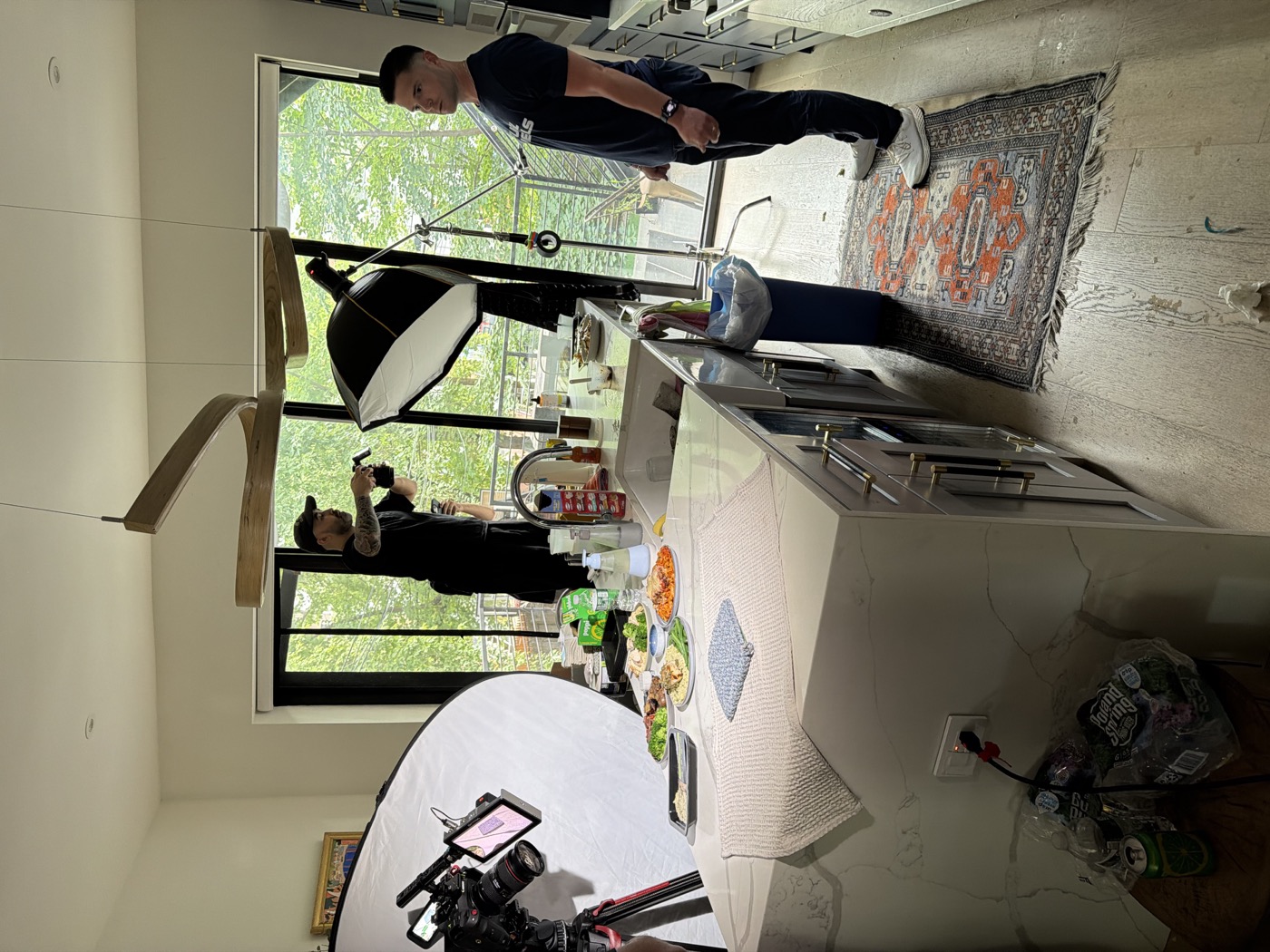
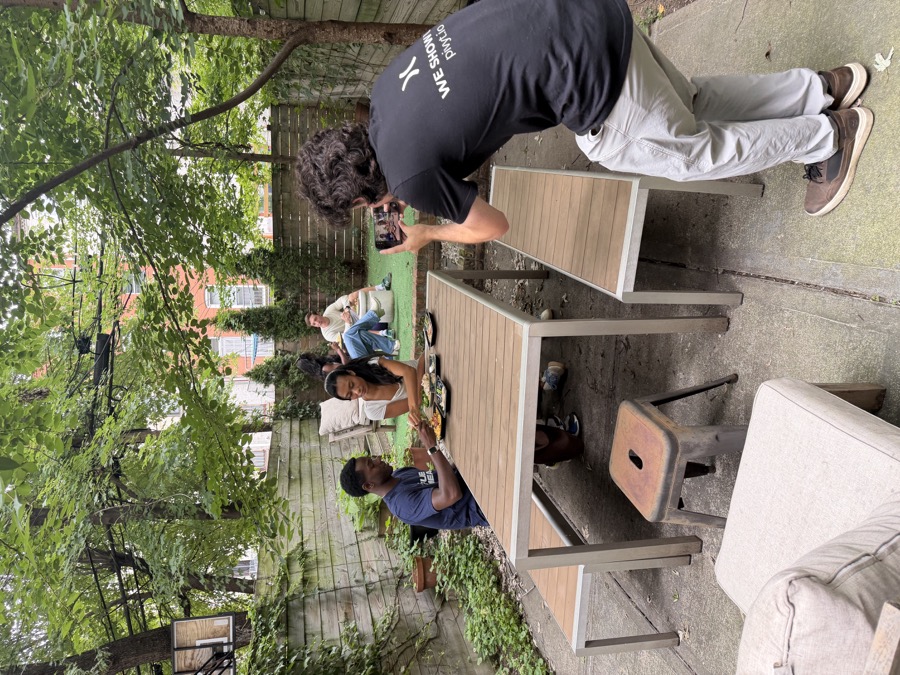
This is how we run content for our clients. A shoot day turns into weeks of posts, and the calendar decides what gets filmed. Your builder result includes a shot list for exactly this.
One shoot day, one month of posts · Example
- PlanPick 12 ideas from the calendar. Write the first line of each.
- FilmTwo to four hours on location. Every idea, a few takes each.
- EditCut 12 to 16 short videos, plus photos and carousel frames.
- ScheduleLoad the month. Post, reply, review on Fridays.
Shoot Indoors · with Pivyt
980 → 12.7KInstagram followers in three months, from regular filmed content. One reel reached 525K views. Read the story
Formats that work in 2026
Short video gets you in front of new people. Carousels get saved and shared. Stories keep your followers close. Photos are quick, and real ones beat stock. On Google, a weekly update with a photo keeps your profile active.
You don’t need every format. Pick one that reaches new people (usually short video) and one that’s easy to make (photos or carousels), and alternate them.
Track what matters, every Friday
Spend fifteen minutes a week looking at what worked. Saves, shares and messages tell you more than likes. A post that brought three messages is worth more than one with three hundred likes.
Then feed it back into the calendar: more of what got saved, a new version of the hook that held people, and the best post turned into an ad.
What to look at every Friday
| Number | What it tells you | Do this |
|---|---|---|
| Saves and shares | The post was useful enough to keep or send | Make more of that topic |
| Watch time | The hook worked and the video held them | Reuse the first line on a new video |
| Messages and calls | The post moved someone to act | Turn it into an ad |
| Profile visits | People wanted to know who made it | Make sure your bio says what to do next |
| Likes | Not much on their own | Don’t plan around them |
Common questions
Is there a free social media content calendar template?
Yes. Build yours with the tool at the top of this page, then download it as a spreadsheet (it opens in Google Sheets, Excel or Numbers) or print it. It’s already filled in with ideas for your business, which beats a blank template.
How far ahead should I plan?
Plan four weeks, and film one to two weeks ahead. Leave a slot or two open each week for things that happen: a great job, a review, something local.
Should I post the same thing on every platform?
Share the same video to Instagram, Facebook, TikTok and YouTube Shorts; that’s how one shoot covers four platforms. Adjust the caption for each. LinkedIn and Google Business work better with their own posts.
What tool should I use to schedule posts?
Meta Business Suite schedules Instagram and Facebook for free. Most scheduling tools do the rest. The tool matters less than having the calendar filled two weeks out.
What if I run out of ideas?
Write down every question customers ask you for a week. Each one is a post. So is every finished job, every new team member and every review.
Rather not film it
yourself?
We plan the calendar, film the month in a shoot day, edit it and post it. You keep running the business.
Talk to us about contentSee it in practice: Shoot Indoors (980 to 12.7K followers in three months) and Annamarie’s (50 to 100K views a video).
Explore content production and strategy and creative, or read Google Ads vs Facebook Ads.